
Videos
Create video generation tasks with OpenAI-compatible authentication and a task-style response shape. Video generation is async: create a task, store the id, and poll for completion.
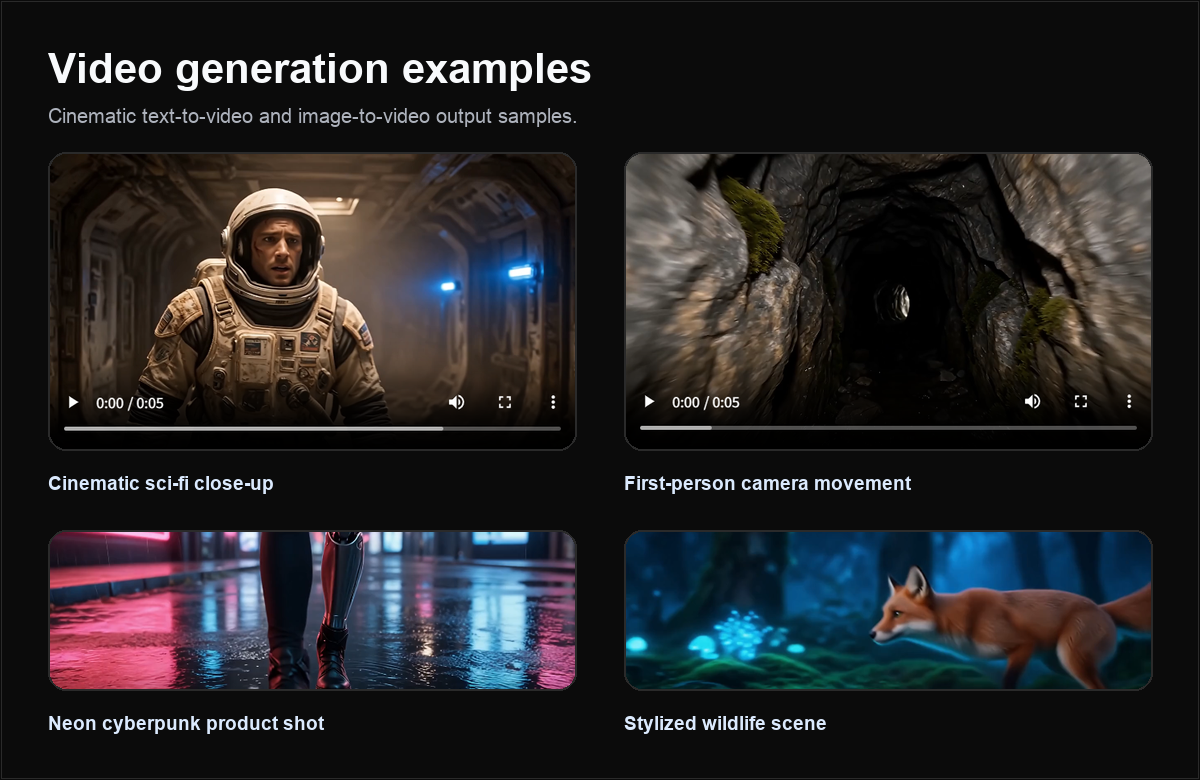
Video generation is key-enabled. Only keys with video access list video models from /models; keys without video access cannot create video tasks.
When to use this page
Use this page when you need Seedance 2.0 video generation with production-friendly status polling. For model-specific guidance, see Seedance 2.0 Fast.
Endpoints
POST https://api.quotaflow.ai/openai/v1/videos
GET https://api.quotaflow.ai/openai/v1/videos/{task_id}
GET https://api.quotaflow.ai/openai/v1/videos/{task_id}/content
Supported models
seedance-2.0-fastseedance-2.0
Call /models with your production key for the exact list enabled for your account.
Key features
- Async task lifecycle: create, poll, render pending UI, then display or save the result.
- Text-to-video prompts: describe subject, motion, camera, lighting, duration, and style.
- Exact model family:
seedance-2.0-fastis used only for its own model family. It is never a fallback for aveo-*request. - Optional image inputs: use
image_url,image_urls,images, orreference_imagesfor first-frame or reference-image workflows when supported by your enabled model. - Reference-image readiness: for person, product, or style consistency, send stable HTTPS image URLs; Quotaflow prepares reference media automatically when required.
- Stable public response shape: Quotaflow preserves the public task id, status, model, temporary Quotaflow data URL, and usage fields without replacing the requested model family.
- Retry-safe product design: store task ids and make polling idempotent in your application.
Create a video task
curl https://api.quotaflow.ai/openai/v1/videos \
  -H "Authorization: Bearer $QUOTAFLOW_API_KEY" \
  -H "Content-Type: application/json" \
  -d '{
    "model": "seedance-2.0-fast",
    "prompt": "A cinematic drone shot over a coastal city at sunrise.",
    "durationSeconds": 4,
    "resolution": "1080p",
    "aspectRatio": "16:9"
  }'
Reference-image video
For image-to-video or identity/reference workflows, prefer image_urls or reference_images arrays. A single legacy image_url is still accepted and normalized, but arrays make the intent explicit and avoid client-side ambiguity.
curl https://api.quotaflow.ai/openai/v1/videos \
  -H "Authorization: Bearer $QUOTAFLOW_API_KEY" \
  -H "Content-Type: application/json" \
  -d '{
    "model": "seedance-2.0-fast",
    "prompt": "Animate this portrait into a natural 4 second speaking-style social clip, preserve the face identity and lighting.",
    "image_urls": ["https://example.com/reference-face.jpg"],
    "durationSeconds": 4,
    "resolution": "720p",
    "aspectRatio": "9:16",
    "watermark": false,
    "return_last_frame": true
  }'
reference_images may contain strings or objects such as { "url": "https://example.com/reference-face.jpg" }. Keep URLs reachable while the task is running. For heavy reference-image, video-reference, audio-reference, 1080p, 4K, or longer-duration jobs, use an async UI and longer polling windows.
Seedance 2.0 unified call
Seedance 2.0 uses the public /openai/v1/videos create-and-poll contract. Quotaflow adapts reference media internally, so your application should keep using this public API for assets and tasks.
For 4K Seedance output, keep using the public seedance-2.0-fast id and set "resolution": "4k". Quotaflow maps that request to the appropriate 4K-capable Seedance 2.0 call path internally; there is no separate public seedance-2.0-4k id.
curl https://api.quotaflow.ai/openai/v1/videos \
  -H "Authorization: Bearer $QUOTAFLOW_API_KEY" \
  -H "Content-Type: application/json" \
  -d '{
    "model": "seedance-2.0-fast",
    "prompt": "Animate this portrait into a natural 4 second social clip. Preserve identity, lighting, and framing.",
    "reference_images": [{ "url": "https://example.com/reference-face.jpg" }],
    "durationSeconds": 4,
    "resolution": "4k",
    "aspectRatio": "9:16",
    "generate_audio": true,
    "watermark": false,
    "return_last_frame": true
  }'
Portrait, person-reference, or audio-reference jobs can be slower and may fail model safety review. Keep reference URLs reachable until the task completes, then poll the returned task id.
Fetch task status or result
curl https://api.quotaflow.ai/openai/v1/videos/$TASK_ID \
  -H "Authorization: Bearer $QUOTAFLOW_API_KEY"
Download the completed video
The OpenAI-compatible content endpoint uses the same Bearer key as create and poll:
curl https://api.quotaflow.ai/openai/v1/videos/$TASK_ID/content \
  -H "Authorization: Bearer $QUOTAFLOW_API_KEY" \
  --output video.mp4
Completed task responses can also include a temporary Quotaflow URL in data[].url. That URL is task-scoped, expires after 15 minutes, and can be fetched directly without adding the API key again:
const completed = await pollResponse.json();
const downloadUrl = completed.data?.[0]?.url;
const videoResponse = await fetch(downloadUrl);
const videoBytes = await videoResponse.arrayBuffer();
Use the authenticated /content endpoint for the standard OpenAI-style flow. Use data[].url when your job runner or webhook consumer expects a directly downloadable asset URL. If the temporary URL expires, poll the task again with the API key to receive a fresh URL. Quotaflow never returns the upstream provider URL or provider identity.
Parameters
| Field | Notes |
|---|---|
model | Required. Use a model returned by /models with video support, such as seedance-2.0-fast when enabled. |
prompt | Required for text-to-video generation. |
duration, seconds, durationSeconds | Video duration fields accepted by supported clients and models. |
resolution | Common values include 720p, 1080p, and 4k; higher resolutions depend on model and key access. |
aspectRatio, aspect_ratio, ratio | Common values include 16:9, 9:16, and 1:1. |
image, image_url, images, image_urls, reference_images | Optional first-frame or reference image input when enabled. Prefer arrays for reference workflows. Use public HTTPS URLs or supported data URLs. |
video, video_url, videos, video_urls | Optional video reference or extension input when enabled for your key and model. |
audio, audio_url, audios, audio_urls | Optional audio reference input when enabled for your key and model. |
generate_audio, generateAudio | Optional. Request synchronized audio when the enabled model and package support it. |
watermark | Optional boolean. Request watermark behavior when supported by the enabled model and package. |
return_last_frame, returnLastFrame | Optional boolean. Request the final frame metadata or asset when supported by the enabled model and package. |
Response shape
The create call returns a task object or task id. Poll GET /videos/{task_id} until the task is completed or failed. Download with authenticated GET /videos/{task_id}/content, or fetch the temporary completed-response data[].url directly. Use a pending state in your UI; do not block an end-user request waiting for the render to finish.