
Gemini 3.1 Flash Image — fast image generation
Use gemini-3.1-flash-image-preview for fast creative iteration and draft variants. Call it through the OpenAI-compatible Images endpoint (POST https://api.quotaflow.ai/openai/v1/images/generations) or natively through Gemini generateContent (POST https://api.quotaflow.ai/v1beta/models/gemini-3.1-flash-image-preview:generateContent). Both endpoints are served by the same image product at the same per-image price.
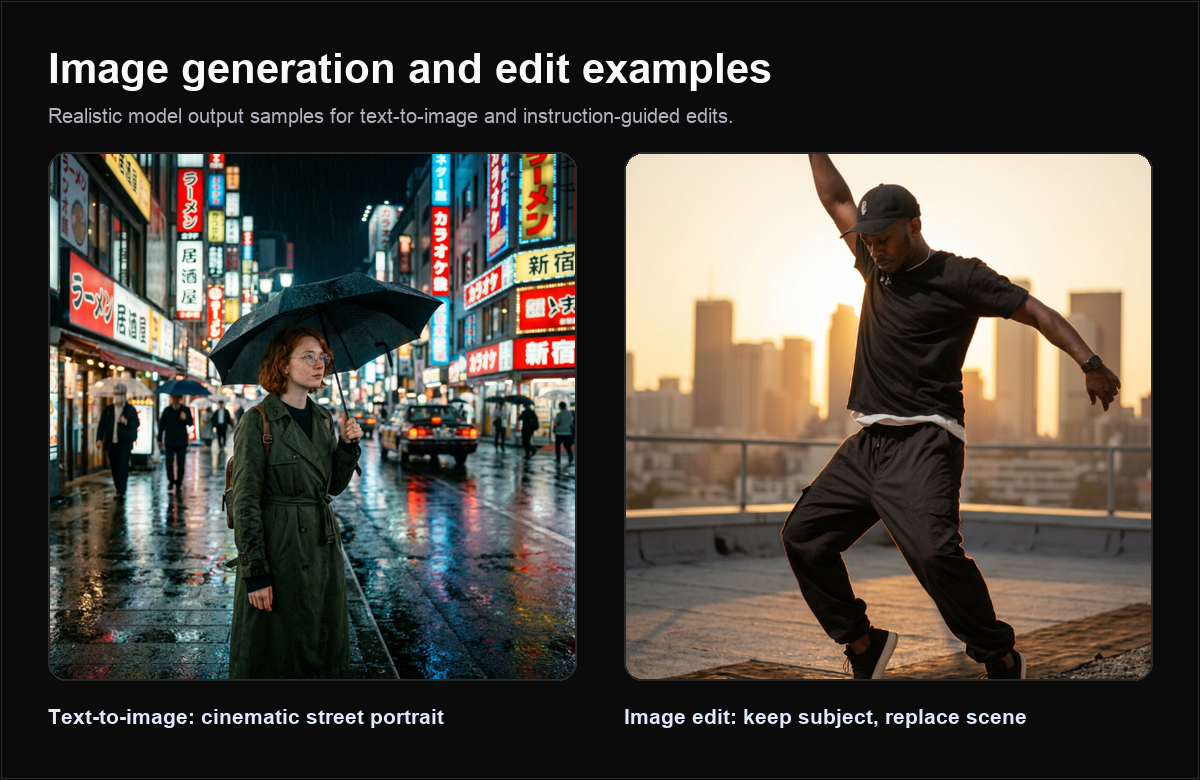
What is Gemini 3.1 Flash Image?
Gemini 3.1 Flash Image is the fast image model in the Quotaflow creative catalog. It is a good first pass when you need many variants or quick feedback before choosing a final candidate.
| Property | Value |
|---|---|
| Model id | gemini-3.1-flash-image-preview |
| Protocols | OpenAI-compatible images, Gemini-native generateContent |
| OpenAI generate endpoint | POST https://api.quotaflow.ai/openai/v1/images/generations |
| Gemini native endpoint | POST https://api.quotaflow.ai/v1beta/models/gemini-3.1-flash-image-preview:generateContent |
| Best for | Fast drafts, product and marketing variants |
Why use Gemini 3.1 Flash Image?
Use this model when speed and iteration count matter. Product teams can generate several concepts, review them quickly, and reserve slower or higher-cost image paths for final candidates.
Curated models
| Need | Recommended model |
|---|---|
| Fast Gemini image iteration | gemini-3.1-flash-image-preview |
| OpenAI-style image compatibility | gpt-image-2 |
Key features
- Fast drafts: ideal for initial concepts and many variants.
- OpenAI-compatible option: call
/openai/v1/images/generationsfrom OpenAI-style clients. - Gemini-native option: call
:generateContentfrom Gemini SDKs and Gemini-style clients. - Image edits: send 1 to 14 reference images to
/openai/v1/images/edits, as multipartimage[]parts or JSONimages[].image_urldata URLs, or asinlineDataparts on:generateContent.
How to generate images
OpenAI-compatible generation:
curl https://api.quotaflow.ai/openai/v1/images/generations \
  -H "Authorization: Bearer $QUOTAFLOW_API_KEY" \
  -H "Content-Type: application/json" \
  -d '{
    "model": "gemini-3.1-flash-image-preview",
    "prompt": "A crisp social media image of a teal AI dashboard floating above a city map.",
    "size": "1024x1024",
    "response_format": "b64_json"
  }'
Sizes are auto, 1024x1024, 1024x1536 and 1536x1024. Gemini-specific fields such as aspect_ratio or image_config are rejected on this endpoint with HTTP 400 naming the field in param; the Images page documents the full request contract.
Gemini-native generation:
curl "https://api.quotaflow.ai/v1beta/models/gemini-3.1-flash-image-preview:generateContent" \
  -H "x-goog-api-key: $QUOTAFLOW_API_KEY" \
  -H "Content-Type: application/json" \
  -d '{
    "contents": [
      {
        "role": "user",
        "parts": [
          { "text": "A crisp social media image of a teal AI dashboard floating above a city map." }
        ]
      }
    ],
    "generationConfig": {
      "responseModalities": ["IMAGE"],
      "imageConfig": { "aspectRatio": "1:1", "imageSize": "1K" }
    }
  }'
The native request accepts one user turn of text parts and inlineData reference-image parts, plus generationConfig.responseModalities (must include IMAGE), generationConfig.imageConfig and generationConfig.candidateCount (1). Only aspectRatio 1:1 with imageSize 1K (1024x1024) is available until more sizes are measured; other ratios and sizes, and every other field, return HTTP 400 INVALID_ARGUMENT with a message naming the field. :streamGenerateContent is not available for this model. The image comes back in Google's native shape, in candidates[0].content.parts[0].inlineData. The Images page documents the full native contract.
Usage accounting
For Gemini image models, usage reports Quotaflow's own metered output token count (output_tokens and total_tokens), the same source used for billing. It does not include input_tokens because this product is priced per image, and it never uses the vendor's self-reported token count. On the native endpoint the same count is reported in usageMetadata as candidatesTokenCount, totalTokenCount and candidatesTokensDetails; promptTokenCount is omitted for the same reason.
Pricing
This model is a good starting point when you expect repeated creative iteration. Confirm key access and package limits before exposing high-volume generation to end users.
Use cases
| Use case | Why this model fits |
|---|---|
| Concept exploration | Fast enough for many rough creative directions. |
| Social creative variants | Good for aspect-ratio and style experiments. |
FAQ
Should I choose Flash Image or Pro Image?
Start with Flash Image for speed and iteration. Use Pro Image when final quality or complex instruction following matters more than latency.
Can I use the OpenAI-compatible endpoint?
Yes. Use /openai/v1/images/generations for generation and /openai/v1/images/edits to edit with reference images.
Can I use a Gemini SDK or generateContent?
Yes. Call :generateContent with the Gemini request shape; send reference images as inlineData parts. Streaming is not available for image generation.
Next steps
- Use GPT Image 2 for OpenAI-compatible image-first apps.
- Browse the Model Library.