
Gemini 3 Pro Image — higher-quality image generation and editing
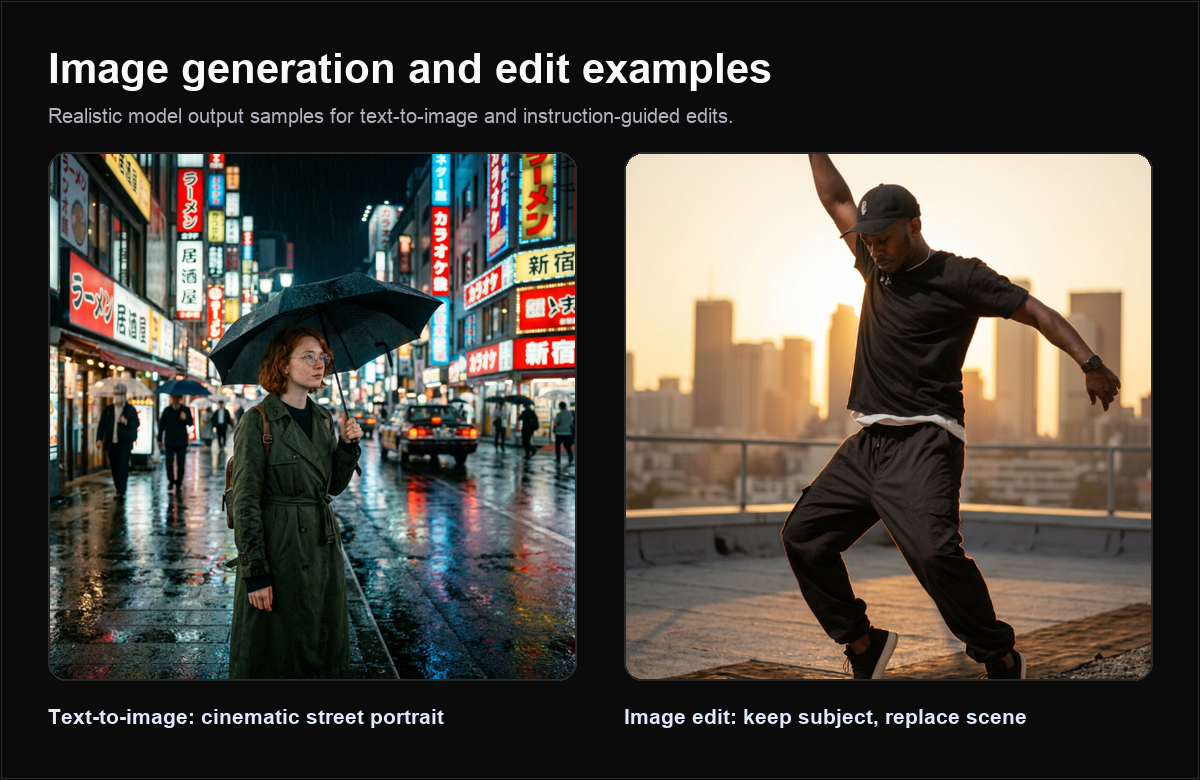
Use gemini-3-pro-image-preview when final image quality, detailed prompt following, and polished creative output matter more than raw iteration speed.
What is Gemini 3 Pro Image?
Gemini 3 Pro Image is the higher-quality Gemini image model in the Quotaflow catalog. It supports OpenAI-compatible image endpoints for compatibility and Gemini-compatible generateContent for Gemini-native clients.
| Property | Value |
|---|---|
| Model id | gemini-3-pro-image-preview |
| Protocols | OpenAI-compatible images, Gemini-compatible generateContent |
| OpenAI generate endpoint | POST https://api.quotaflow.ai/openai/v1/images/generations |
| OpenAI edit endpoint | POST https://api.quotaflow.ai/openai/v1/images/edits |
| Gemini endpoint | POST https://api.quotaflow.ai/v1beta/models/gemini-3-pro-image-preview:generateContent |
| Best for | Final creative candidates, detailed prompts, polished marketing visuals |
Why use Gemini 3 Pro Image?
Use this model after fast ideation when you need a smaller number of better candidates. It is well suited for launch assets, hero visuals, brand concepts, and edits where details matter.
Curated models
| Need | Recommended model |
|---|---|
| Many quick variants | gemini-3.1-flash-image-preview |
| Higher-quality final candidates | gemini-3-pro-image-preview |
| OpenAI-compatible image default | gpt-image-2 |
Key features
- Polished output: good for customer-facing creative candidates.
- Detailed prompts: use explicit composition, lighting, brand, and preservation instructions.
- Two protocol surfaces: OpenAI-compatible image endpoints or Gemini-compatible
generateContent. - Reference edits: use source images and describe exactly what should stay unchanged.
How to generate images
OpenAI-compatible generation:
curl https://api.quotaflow.ai/openai/v1/images/generations \
  -H "Authorization: Bearer $QUOTAFLOW_API_KEY" \
  -H "Content-Type: application/json" \
  -d '{
    "model": "gemini-3-pro-image-preview",
    "prompt": "A polished SaaS landing-page hero image showing quota analytics, API routing, and team billing in one elegant dashboard.",
    "size": "1536x1024",
    "response_format": "b64_json"
  }'
Gemini-compatible generation:
curl "https://api.quotaflow.ai/v1beta/models/gemini-3-pro-image-preview:generateContent" \
  -H "x-goog-api-key: $QUOTAFLOW_API_KEY" \
  -H "Content-Type: application/json" \
  -d '{
    "contents": [
      {
        "role": "user",
        "parts": [
          { "text": "Create a 16:9 premium SaaS hero image. Show an AI quota dashboard with teal highlights, crisp typography, and realistic depth." }
        ]
      }
    ],
    "generationConfig": {
      "responseModalities": ["IMAGE"],
      "imageConfig": { "aspectRatio": "16:9", "imageSize": "1K" }
    }
  }'
Pricing
Use Pro Image for fewer, higher-quality candidate generations. For high-volume ideation, start with Flash Image and promote only the best prompts to Pro Image.
Use cases
| Use case | Recommendation |
|---|---|
| Landing-page hero | Use detailed scene, product, typography, and lighting instructions. |
| Brand campaign creative | Include brand colors, layout constraints, and output aspect ratio. |
| Product visualization | State which product details and labels must remain recognizable. |
| Final candidate pass | Reuse the best prompt from Flash Image and tighten the visual requirements. |
FAQ
Is Pro Image slower than Flash Image?
It can be. Choose it when output quality matters more than fast iteration.
Can I call it through OpenAI-compatible endpoints?
Yes. Use /openai/v1/images/generations and /openai/v1/images/edits when your app is built around OpenAI-style image APIs.
When should I not use it?
Avoid using the higher-quality path for every draft in a high-volume UI. Generate rough variants first, then use Pro Image for final candidates.
Next steps
- Start faster with Gemini 3.1 Flash Image.
- Use GPT Image 2 for OpenAI-compatible image-first workflows.
- Browse all supported models.